

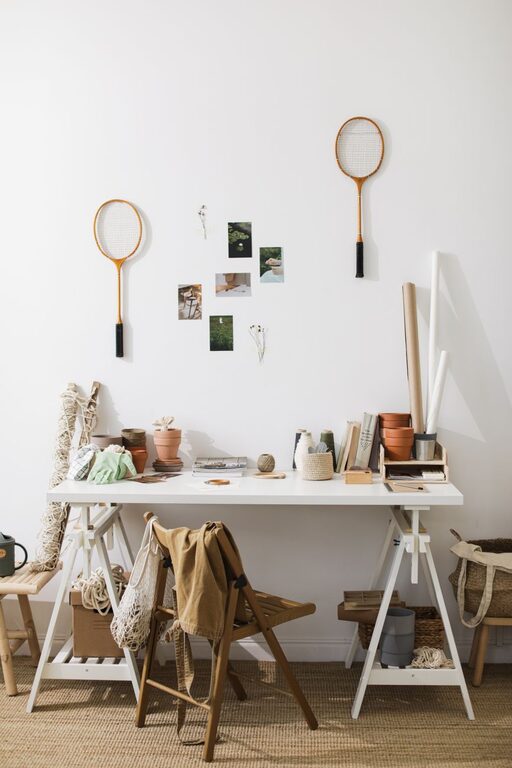
Creating a workspace that feels uniquely yours can make a significant difference in how you work and how you feel throughout the day. Personalizing your workspace not only adds comfort but can also inspire creativity and improve productivity. Whether you work from home or in an office, these simple tips will help you customize your space without overwhelming it.
Why Personalize Your Workspace?
Your workspace is more than just a place to get work done—it’s where ideas come to life. A personalized environment can:
– Reduce stress by making your surroundings feel familiar and welcoming
– Keep you motivated with elements that inspire or calm you
– Help you stay organized by tailoring the space to your habits and needs
Now that we know why it’s important, let’s explore some practical ways to make your workspace truly yours.
1. Add Personal Touches
Start with small, meaningful items that reflect your personality.
– Photos and Artwork: Include pictures of family, pets, or places you love. Alternatively, hang some artwork or motivational quotes that resonate with you.
– Decorative Objects: Choose a few desk accessories like unique pen holders, interesting paperweights, or a small sculpture.
– Plants: A small plant or succulent can add life to your desk and improve air quality.
2. Choose the Right Lighting
Good lighting is crucial and can be personalized to fit your preferences.
– Natural Light: Position your desk near a window if possible to take advantage of natural light, which boosts mood and reduces eye strain.
– Desk Lamps: Select a lamp that matches your decor style and provides adjustable brightness. Warm light tends to be relaxing, while cooler light helps focus.
3. Organize with Style
Organization doesn’t have to be dull. Choose tools that look good and keep you efficient.
– Storage Solutions: Use colorful or patterned folders, trays, and boxes to organize papers and supplies.
– Cable Management: Tidy cables with clips or sleeves in colors that blend or contrast nicely with your desk.
– Bulletin or Whiteboards: A board with a frame that matches your room’s style can keep notes and reminders visible and stylish.
4. Customize Your Technology
Your computer and accessories can reflect your style and comfort needs.
– Keyboard and Mouse: Select ergonomic devices in colors or designs you like.
– Mouse Pads: Pick a mouse pad with your favorite design or photo.
– Backgrounds and Screensavers: Personalize your computer screen with images or rotating photos that inspire you.
5. Incorporate Comfort Elements
Comfort is key to sustaining focus and avoiding physical strain.
– Chair: Invest in an ergonomic chair or add a cushion in a favorite color or fabric.
– Footrest: A footrest can improve posture and be an opportunity to add style.
– Desk Mat: A smooth desk mat can feel nice under your hands and keep your desk protected.
6. Create Zones Within Your Workspace
If you have enough space, designate areas for different tasks or moods.
– Focus Zone: Keep your computer and essential tools here.
– Creative Zone: Set up a space for brainstorming or doodling with art supplies or a notebook.
– Relaxation Zone: Add a comfy chair or cushion to take short breaks.
7. Update Regularly
Personalizing your workspace doesn’t mean it’s permanent. Switch items seasonally or whenever you want a fresh look.
– Change your desk accessories.
– Rotate plants or art pieces.
– Refresh your tech backgrounds.
Final Thoughts
Personalizing your workspace is about creating an environment that supports your daily work, reflects your personality, and promotes wellbeing. By combining functionality with elements you love, your workspace can become a place you look forward to spending time in. Start with one or two of these ideas, and watch how they make a difference in your workday!